Mermaid Diagrams for Jira Sprint Workflows
- Scrum masters and eng leads who run standups from Jira
- Development teams deciding which diagrams to maintain across a sprint
- Anyone who wants to know which of Mermaid's 30 diagram types are actually useful for agile work
- The four Mermaid diagram types a sprint team actually reaches for
- How to embed each one inside a Jira issue, with copy-paste syntax
- When a diagram belongs in Jira vs. Confluence
- The full 30-type reference for less common needs
Every team that adopts Jira diagrams hits the same moment: you discover Mermaid supports 30 diagram types, you get excited, and then you realize you have no idea which ones to actually use during a sprint. Most of them never get drawn. The diagrams that earn their keep are the ones that make a standup faster, an onboarding doc clearer, or a ticket unambiguous — and those are a small, repeatable subset.
This post is the workflow guide we wish we'd had: the four diagram types a sprint team actually uses, each with a real scenario and copy-paste syntax you can drop straight into a Jira issue. The full 30-type reference follows, so the same page works as both a sprint playbook and a complete catalog.
The four diagrams a sprint team actually uses
1. Flowchart — the definition-of-done diagram
Every team has a recurring "what does Done actually mean?" conversation. A flowchart pinned to the sprint's planning ticket removes the ambiguity: branches for code review, QA, security scan, and docs gate the path to Done.
In Jira, the same flowchart on the workflow-transition screen reminds the engineer what's expected before they drag the ticket. Here's the Mermaid syntax for a typical definition-of-done:
flowchart TD
    A[Code complete] --> B{Peer reviewed?}
    B -- No --> A
    B -- Yes --> C{QA passed?}
    C -- No --> A
    C -- Yes --> D{Security scan clean?}
    D -- No --> A
    D -- Yes --> E[✅ Done]
Drop that into a Jira issue description and every engineer sees the same definition of Done. The decision diamonds ({...}) make the gates explicit; the loop back to "Code complete" makes rework obvious.
When to use it in Jira: sprint planning tickets, workflow documentation, onboarding for new engineers who need to learn the process.
2. Gantt — the sprint timeline
A Gantt chart in the sprint planning issue shows which stories overlap, where the critical path is, and whether the sprint is actually feasible. Mermaid's Gantt syntax is dates or durations:
gantt
    title Sprint 47 timeline
    dateFormat YYYY-MM-DD
    section Backend
    API endpoint        :a1, 2026-07-23, 3d
    DB migration        :a2, after a1, 2d
    section Frontend
    Wire up UI          :b1, 2026-07-24, 4d
    E2E tests           :b2, after b1, 2d
    section Release
    Deploy to staging   :milestone, 2026-08-01, 0d
The section keyword groups work by team or layer, which makes cross-team dependencies visible at a glance. Milestones (:milestone) mark ship dates.
When to use it in Jira: the sprint planning epic, release-train tickets, any story where sequencing matters more than status.
3. Sequence diagram — the handoff diagram
When a ticket spans two services or two teams, a sequence diagram is the clearest way to show who calls whom and in what order. It's the diagram that prevents the "I thought your service was going to call mine" conversation in production.
sequenceDiagram
    participant U as User
    participant W as Web App
    participant A as Auth Service
    participant D as Database
    U->>W: Login (email, password)
    W->>A: validate(credentials)
    A->>D: lookup user
    D-->>A: user record
    A-->>W: JWT token
    W-->>U: 200 OK + token
When to use it in Jira: integration stories, API-consumer tickets, bug reports where the reproduction path crosses service boundaries.
4. State diagram — the ticket-lifecycle diagram
For bugs and support tickets that bounce between states, a state diagram documents the allowed transitions and prevents invalid status moves. It's also the clearest way to explain a custom workflow to a new team member.
stateDiagram-v2
    [*] --> Open
    Open --> InProgress: assign
    InProgress --> InReview: submit for review
    InReview --> InProgress: changes requested
    InReview --> Done: approved
    Done --> [*]
    Open --> Won'tFix: close
    Won'tFix --> [*]
When to use it in Jira: workflow-configuration tickets, documentation of custom Jira workflows, onboarding.
How to embed a Mermaid diagram in a Jira issue
1. Install Mermaid Plus Diagrams for Jira
Install Mermaid Plus Diagrams for Jira from the Atlassian Marketplace. It's free for up to 10 users and supports all 30 Mermaid diagram types with live preview.
2. Insert the macro
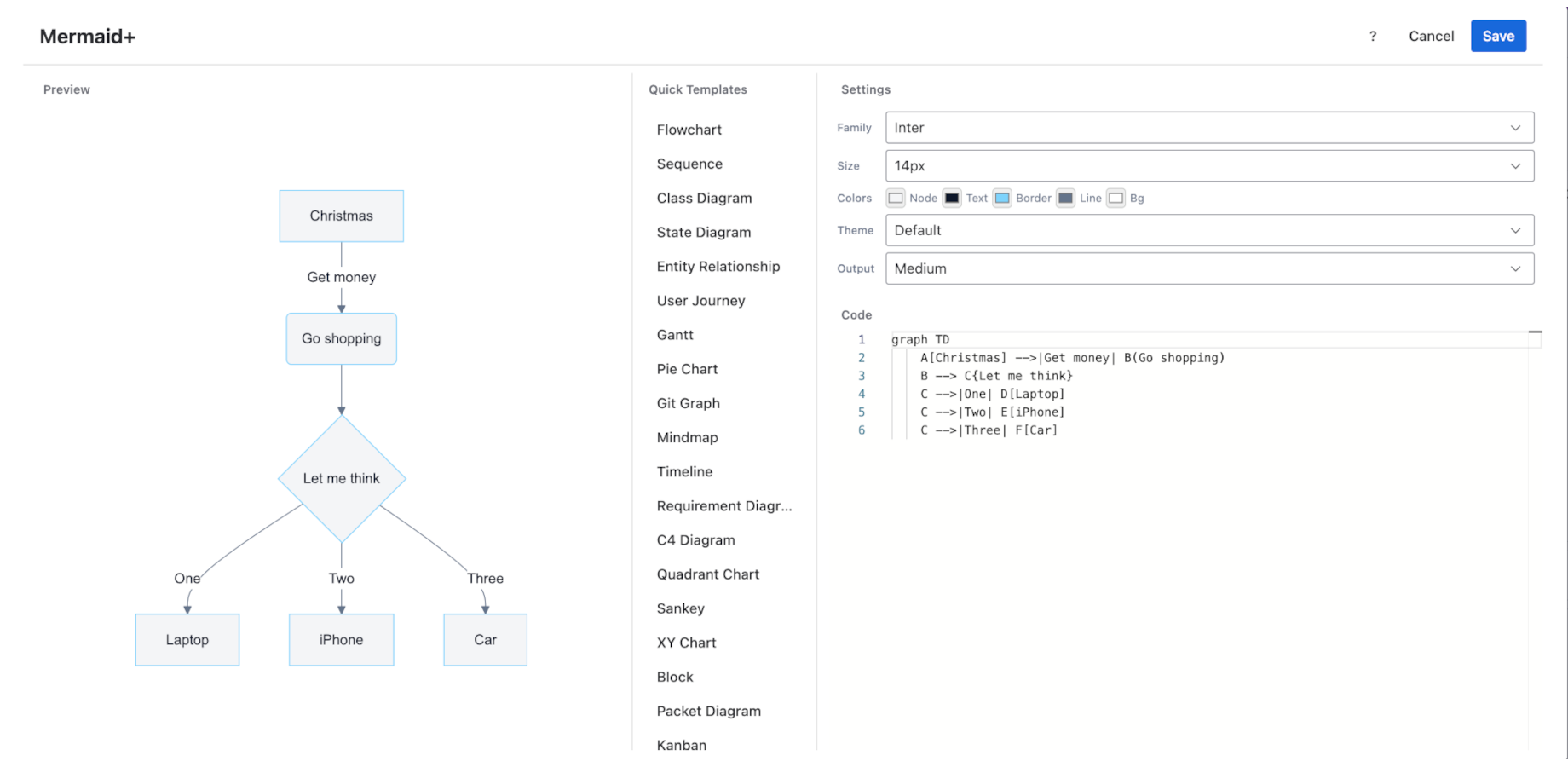
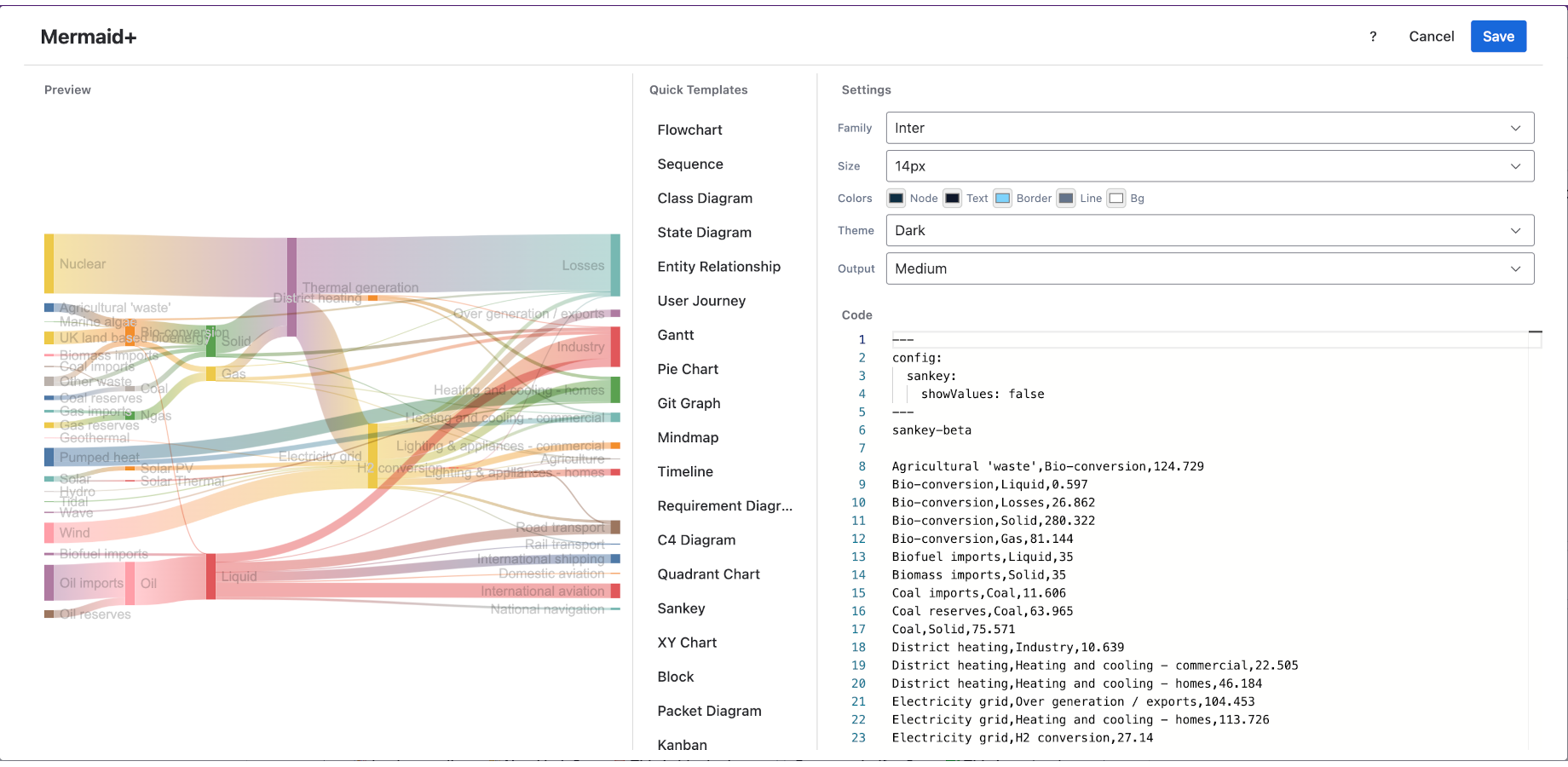
Open any Jira issue. Click into the description field or a comment, type /mermaid, and select the Mermaid Plus macro. The editor opens with a Quick Templates panel on the left, a code editor in the middle, and a live preview on the right.
3. Pick a template and customize
The Quick Templates panel lists all 30 diagram types. Click one to load a starter snippet into the code editor. Edit the syntax — the preview updates in real time, so you see exactly what the diagram will look like before you save.
4. Save
Click Save. The rendered diagram embeds into the Jira issue. Every viewer sees the same rendered image; they don't need the app installed in a viewer mode, and the diagram is included when the issue is exported.
Jira vs. Confluence: where does each diagram go?
A common question is whether a diagram belongs in the Jira ticket or in a linked Confluence page. The rule of thumb:
| Diagram purpose | Put it in | Why |
|---|---|---|
| Specific to one ticket (this bug's repro path, this story's definition of done) | Jira | It travels with the ticket and stays in context |
| Reused across tickets (the team's workflow, the system architecture) | Confluence | One source of truth, linked from many tickets |
| Sprint timeline for this sprint only | Jira (sprint epic) | Ephemeral, lives with the sprint |
| Sprint timeline pattern the team follows every sprint | Confluence | Durable reference |
If you use Mermaid Plus Diagrams & AI Agent for Confluence alongside the Jira app, you can copy the same Mermaid syntax between both — the rendering is identical.
The full 30 Mermaid diagram types (reference)
Most sprint work uses the four types above. But Mermaid supports 30 types total, and the long tail matters for specific scenarios. Here's the complete list with one-line guidance on when each is useful:
| Type | Best for | Sprint relevance |
|---|---|---|
| Flowchart | Processes, decisions, logic gates | ★★★ Core |
| Sequence | Service interactions, API calls over time | ★★★ Core |
| Gantt | Timelines, scheduling, dependencies | ★★★ Core |
| State | Status transitions, lifecycles | ★★★ Core |
| Class | Object-oriented design, data models | ★★ Architecture docs |
| ER | Database schemas, entity relationships | ★★ Schema tickets |
| Mindmap | Brainstorming, feature breakdown | ★★ Refinement |
| Pie | Distribution (bug causes, time split) | ★ Retrospectives |
| Journey | User experience maps | ★ Discovery |
| C4 | Architecture (Context, Container, Component) | ★★ System design |
| Architecture | Box-and-line system diagrams | ★★ System design |
| Requirement | Formal requirements (reqif) | ★ Compliance |
| GitGraph | Branch and merge history | ★ Release docs |
| Timeline | Chronological events | ★ Incident logs |
| Quadrant | 2x2 prioritization matrices | ★ Planning |
| XYChart | Numeric line/bar charts | ★ Metrics |
| Sankey | Flow quantities between stages | ★ Bottleneck analysis |
| Block | Block-based system layouts | ★ System design |
| Packet | Network packet layouts | ★ Network docs |
| Radar | Multi-axis capability comparison | ★ Tech radar |
| Treeview | Hierarchical file/folder trees | ★ Repo docs |
| Venn | Set overlaps | ★ Stakeholder mapping |
| Swimlane | Cross-functional processes (team hand-offs) | ★ Process tickets |
| Cynefin | Sense-making framework (5 decision domains) | ★ Strategy/retros |
| Railroad | Syntax/grammar (EBNF) diagrams | ★ Language docs |
| Use case | Actors and system capabilities (UML, new in Mermaid 12) | ★★ Requirements |
| Beta types (ZenUML, kanban, treemap, fishbone, etc.) | Specialized | As needed |
The types marked ★★★ are the ones that come up in standups and sprint planning. The rest are there when a specific ticket needs them.
FAQ
Does Jira support Mermaid diagrams natively?
No. Jira does not render Mermaid syntax out of the box. You need a Marketplace app like Mermaid Plus Diagrams for Jira to embed Mermaid diagrams in issue descriptions and comments with live preview.
Can I use the same Mermaid diagram in Jira and Confluence?
Yes. Mermaid syntax is portable. If you have Mermaid Plus for Jira and Mermaid Plus Diagrams & AI Agent for Confluence installed, you can copy the same syntax between a Jira issue and a Confluence page and get identical rendering.
How many Mermaid diagram types are there?
Mermaid supports 30 diagram types, from flowcharts and sequence diagrams to Gantt charts, state diagrams, C4 architecture diagrams, and newer types like Sankey and radar charts. All 30 are available in Mermaid Plus Diagrams for Jira.
Is Mermaid Plus Diagrams for Jira free?
Mermaid Plus Diagrams for Jira is free for up to 10 users. Beyond 10 users, standard Atlassian Marketplace licensing applies. A trial unlocks all features.
Do Mermaid diagrams render in Jira exports?
Yes. Mermaid Plus pre-renders diagrams to cached images when you save, so they appear in Jira issue exports (including PDF and the bulk export tools) just like any other embedded image.
Related guides
- How to build a release timeline in Jira -- the release-scale counterpart: version milestones, multi-team tracks, and launch-week sequencing with copy-paste Gantt examples
- Create Mermaid diagrams on Jira issues -- the complete guide to diagrams on Jira issues
- Gantt charts in Confluence -- project-plan timelines on Confluence pages
Try Mermaid Plus Diagrams for Jira
All 30 Mermaid diagram types embedded in Jira issues, with live preview and Quick Templates — free for up to 10 users.
Get it on the Atlassian Marketplace