Usage
How to open the editor
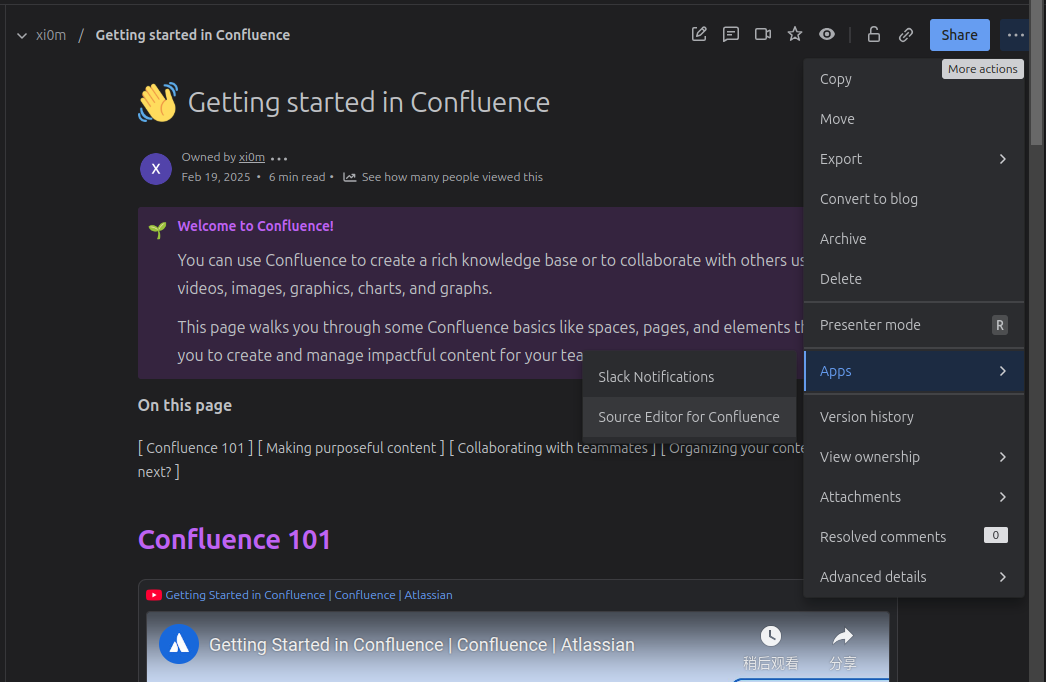
Click the "More actions" button and choose the menu item "Source Editor for Confluence"
The editor like this:
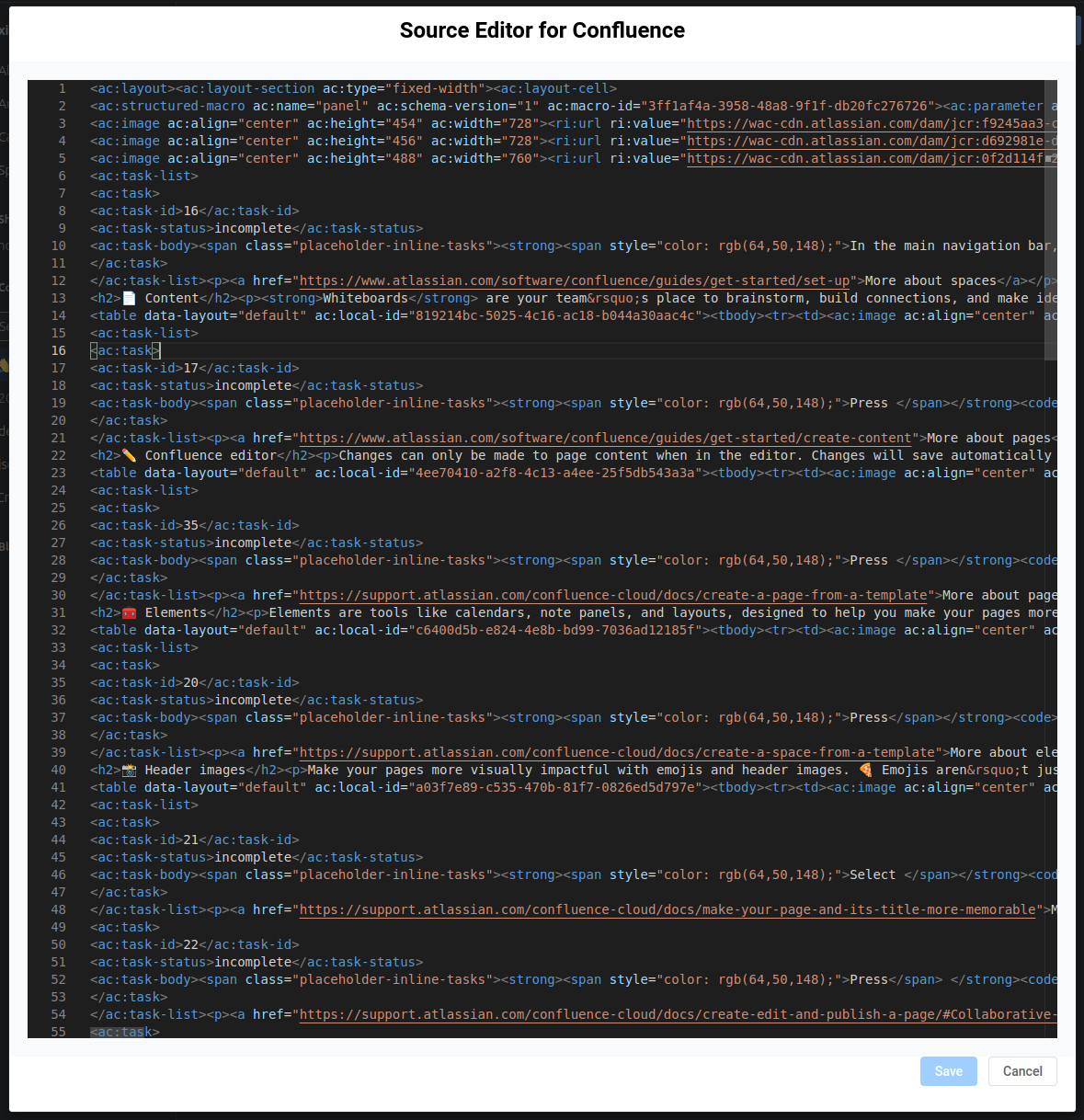 Then you can edit the raw storage of Confluence page.
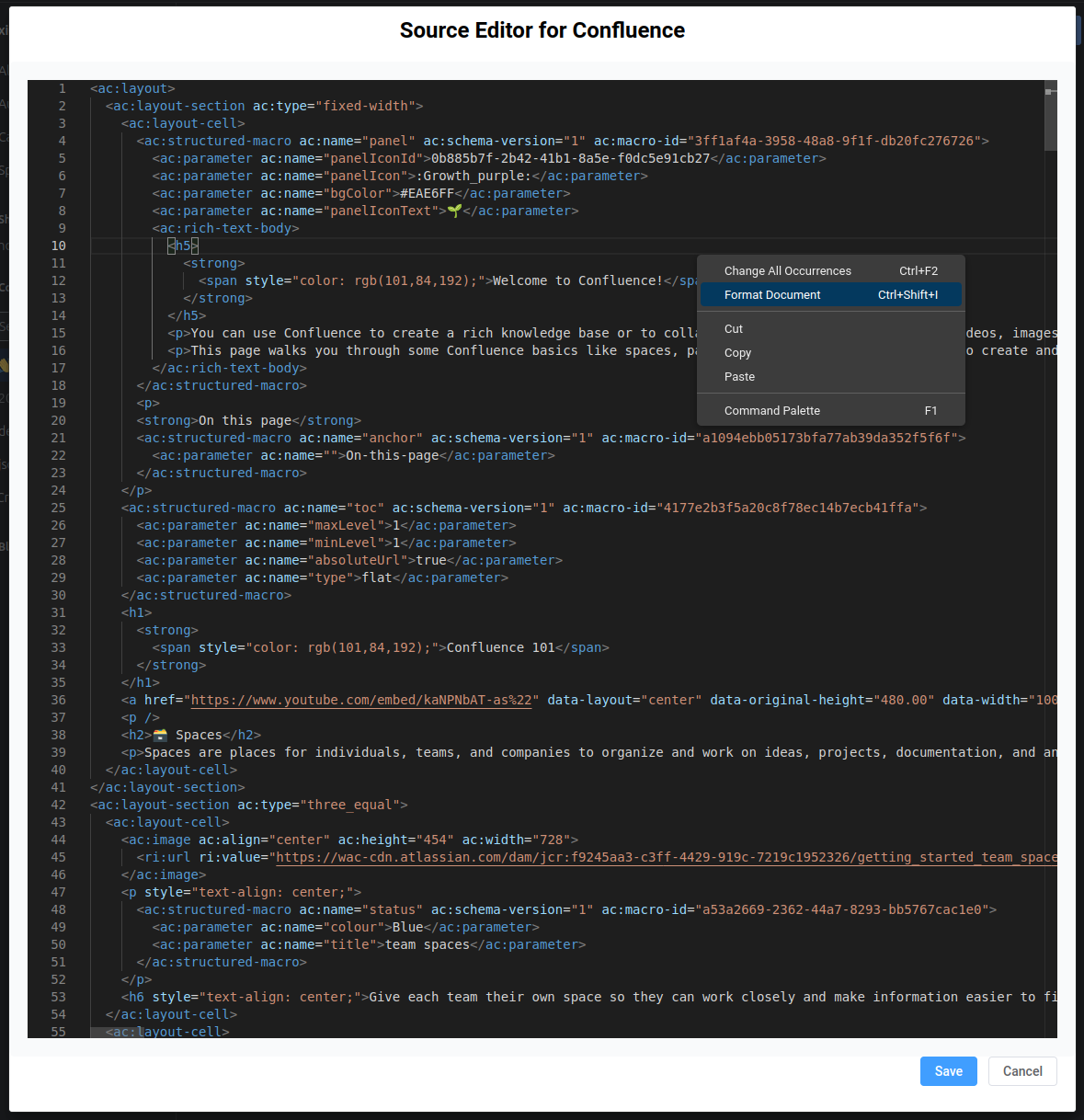
Format document
If you think the document is messy and want it to look clearer, you can use the "Format Document" function in the right-click menu.
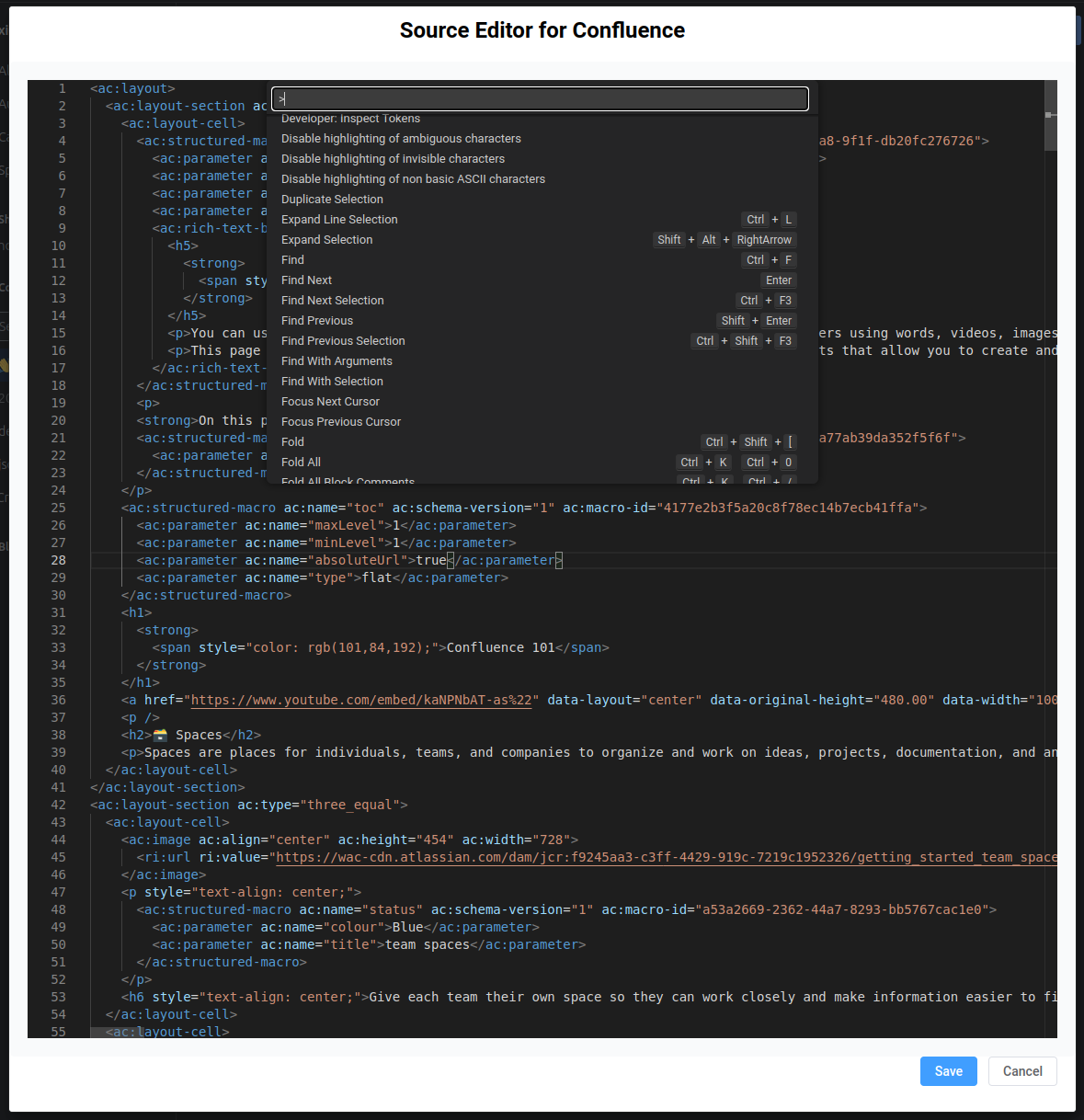
Other functions
Use "F1" or "Ctrl+p" or "Command+p" to open command palette and see all editor functions
Related Blog Posts
Was this helpful?